Status: Beta
Run multiple coding agents in parallel — even away from your desk.
CommandMate puts the coding agents you already use in one place on your own machine, so you can run them side by side, hand them work one issue at a time, and let your own checks decide when the work is done.
One recorded run:
- 4 issues, 4 workers (Command Code), PM and dev lead on Claude Code
- 2 messages and 3 taps from a phone-width web UI
- 4/4 checks passed, PRs merged with CI green, UAT 4/4 GO
- 9 min 48 s from request to report
As observed: one run, recorded on 2026-10-02. Not a benchmark.
Paste this into your coding agent:
Read https://kewton.github.io/CommandMate/setup.md and help me set up CommandMate on this machine. Explain each step before you run it, and ask me before you install anything or open access from the internet.
Open source (MIT) · runs on your machine · macOS / Linux / Windows (WSL2) · no app to install
Agents can work in parallel. You are still one person.
- Every new agent is one more terminal to watch.
- An agent waiting on you looks just like one still working.
- "Done" is the agent's own word for it.
- Managing the agents becomes a new job.
Level 1 — Parallel
Every agent side by side, and you see who needs you.
Your role: the operator.
-
Run them in parallel
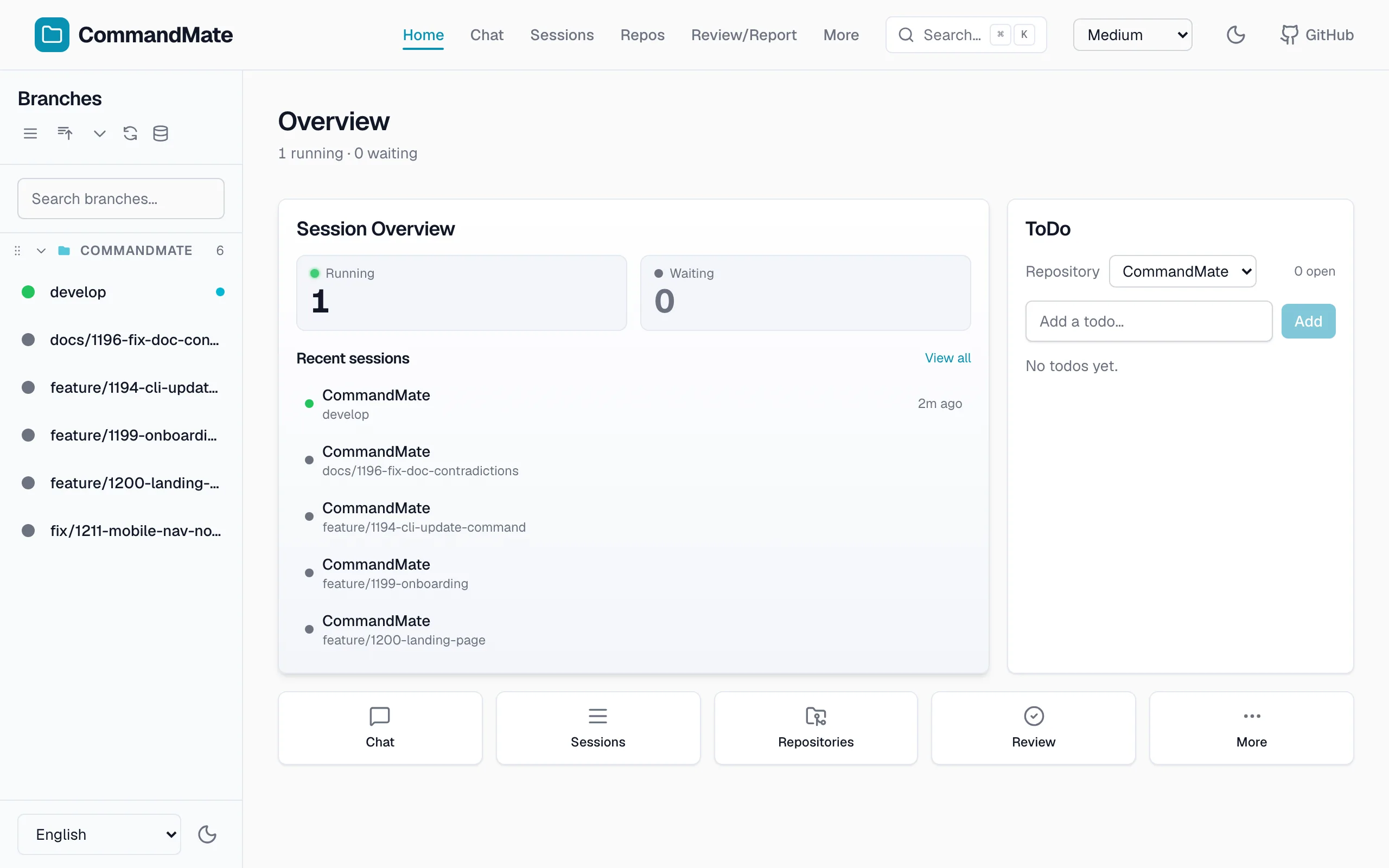
Claude Code, Codex, Gemini CLI, Copilot, OpenCode (1.x and V2), Antigravity, Command Code or local models, several sessions at once.
-
See who is waiting
Working, waiting on you or done: every session in one place.
-
Answer from anywhere
The same session on your PC or phone, via
commandmate remote(Tailscale or Cloudflare). -
One worktree per task
Each task in its own Git worktree, so no two agents edit the same files.
It runs on the plan you already pay for.
Ask your agent
Read https://kewton.github.io/CommandMate/setup.md and do the first two stages with me: install CommandMate, then pair my phone. Ask me before you install anything.
Level 2 — Delegate
Issues in parallel, verified before they reach you.
Your role: product or tech lead. For many solo and small projects, this level is enough.
-
A request you can read
Each issue goes out as a contract: the goal, the files it may change, the checks.
-
Checks decide what's done
Your lint and tests run after the work. Their exit code decides, not the agent.
-
The method comes as Skills
How to plan, hand over and check work, installed from the official Catalog.
Ask your agent
Read https://kewton.github.io/CommandMate/setup.md and do the stages Add a second agent and Let checks decide what's done with me. Ask me before you install or change anything.
Level 3 — Manage
Talk to the PM, not every agent.
A PM agent plans, assigns and checks the work. Your role: the owner. Every step that changes something waits for your approval.
| Role | Agent | Plan | Monthly |
|---|---|---|---|
| PM and dev lead | Claude Code | Claude Max | $100 or $200 |
| Workers | Command Code | Command Code Goat | $10 |
| Total | $110–$210 a month: Claude Max + Command Code Goat | ||
The run at the top of this page used this team on a public throwaway repository. The daily auto-fix run is the author's own setup. It is not a switch in the product.
Ask your agent
Read https://kewton.github.io/CommandMate/setup.md and do the stage Give your team a PM with me. Then ask the PM to plan one of my open issues without changing anything.
Next — Learn
Not built yet, only a direction: use the record each run leaves to improve who gets which task, how issues are split, and the contracts, checks and Skills.
Set up with your agent
Your agent reads the setup guide and walks you through it, asking before it installs anything.
-
Install and start
Your agent checks: the server is running.
-
Pair your phone
Your agent checks: the phone opened CommandMate.
-
Add a second agent
Your agent checks: the new agent replied.
-
Give your team a PM
Your agent checks: the PM planned, changing nothing.
-
Let checks decide what's done
Your agent checks: your checks ran once.
By hand instead? See the README.
Why you can trust it
Runs on your machine
It sends no telemetry, needs no account, and needs no external server to run.
What goes over the network depends on what you use:
- your agent CLI's own API calls;
- a check for a newer release on GitHub, from the web UI;
- the official Skills Catalog on GitHub, when you list or install Skills;
- your browser's push service, once you turn on Web Push;
- and Tailscale or cloudflared, while
commandmate remoteis running.
You decide
Approvals come to you. Auto Yes is opt-in and time-boxed.
The limits, written down
- It is a run, not a resident agent.
- Checks catch only what your tests catch.
Open source, MIT
Every line is on GitHub, under the MIT License.
Start with one paste
Read https://kewton.github.io/CommandMate/setup.md and help me set up CommandMate on this machine. Explain each step before you run it, and ask me before you install anything or open access from the internet.
macOS / Linux / Windows (WSL2) · Node.js v22+ · npm · git · tmux
v0.48.0 · released 2026-10-25 · 160+ releases